Use FLUX.2 Max for highest-fidelity campaign images, premium brand assets, and complex image edits with up to three references.
0/2000
Preview
Result will appear here
Highest-fidelity FLUX output
Why create with FLUX.2 Max?
FLUX.2 Max is the premium choice for final-image fidelity. Use it for campaign artwork, fashion, brand imagery, and complex reference edits where subject consistency, materials, and atmosphere deserve the largest credit budget.
Text to ImageImage Edit · up to 3 references
Campaign key visuals
Premium brand assets
Complex reference edits
Standard
Up to 1024px on the longest edge
Text 4 credits · Edit 4 credits
High
Up to 1280px on the longest edge
Text 5 credits · Edit 5 credits
Ultra
Up to 1536px on the longest edge
Text 6 credits · Edit 6 credits
Real model outputs
See FLUX.2 Max generate and edit
Both examples were generated through the exact WaveSpeed model used by the tool above and are served from this site.
Text to Image
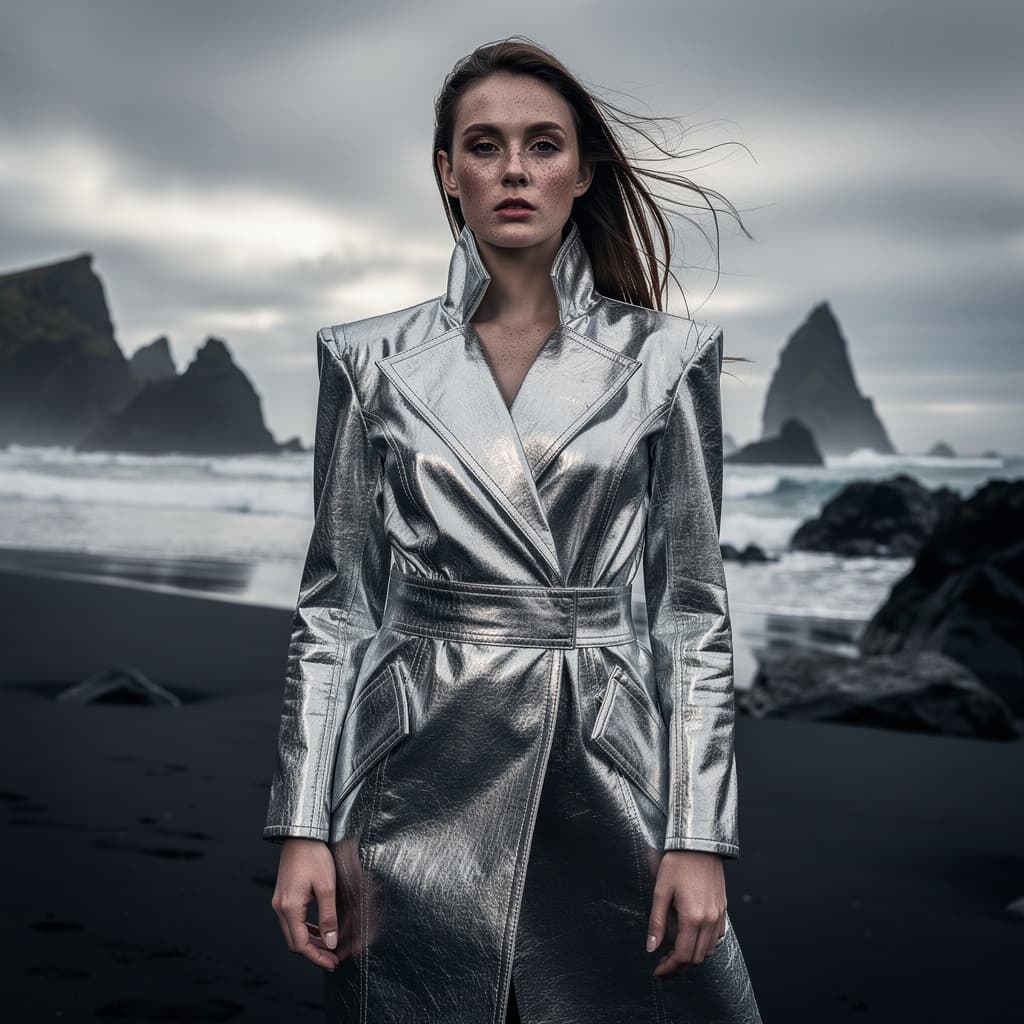
A final-candidate fashion visual with detailed metallic fabric, skin, and coastal atmosphere.
Prompt
Cinematic fashion campaign portrait on a windswept black-sand coast, sculptural silver coat, dramatic overcast sky, nuanced skin texture, fabric detail, high-end magazine art direction, medium format photography
Image Edit
The edit preserves the campaign subject and styling while replacing the entire environment.
Prompt
Keep the person, face, pose, silver coat, and composition consistent; transform the coast into a minimal snow-covered landscape at blue hour with subtle atmospheric haze
01
Push final-image fidelity
Resolve nuanced skin, fabric, atmosphere, and lighting for high-visibility creative work.
02
Handle demanding transformations
Change an environment or mood while asking the edit to retain subject, pose, wardrobe, and composition.
03
Reserve credits for final candidates
Use Max after the direction is proven and the output needs the strongest finish in the lineup.
How it works
Create with FLUX.2 Max in three steps
1
Start with a proven direction
Use a detailed prompt or a strong reference image that clearly represents the final creative goal.
2
Protect essential details
Name the identity, pose, product, wardrobe, framing, or composition that the edit must retain.
3
Use the final quality deliberately
Choose the output quality that matches the asset value and intended publishing size.
Choose Max for premium final candidates, campaign artwork, fashion imagery, and demanding edits where fidelity matters more than speed or credit cost.
Yes. Both modes are available, and Image Edit accepts up to three references.
Standard costs 4 credits, High costs 5 credits, and Ultra costs 6 credits in either generation mode.
Usually it is more efficient to explore with Klein or Pro and move to Max after the composition and art direction are established.
FLUX.2 Max is the highest-fidelity model in the FLUX.2 lineup. It produces the best skin, fabric, atmosphere, and lighting detail, making it the top choice for premium campaign images and final-candidate hero shots.
Max is worth it for final hero images, fashion campaigns, and high-visibility brand assets where maximum fidelity matters. Pro is more cost-effective for everyday production work. Draft in Pro or Klein, then finish in Max.
Yes. Max is the best FLUX.2 model for fashion and portrait work because it resolves nuanced skin texture, fabric detail, and atmospheric lighting that lower tiers flatten. Use it for magazine-quality campaign portraits.
Upload the image as a reference in Image Edit mode, explicitly name what must stay consistent (face, pose, wardrobe, product, framing), and describe only what should change. Max follows preservation instructions better than smaller FLUX.2 models.
Create your next image with FLUX.2 Max
Start from a prompt or upload references, choose the output quality, and generate directly on this page.